Where your steps come from
You do not need to set anything up to count steps. Apple says the Health app automatically counts your steps, walking, and running distances. When you carry your iPhone, its motion sensors track your steps, distance, and flights climbed.
If you also wear an Apple Watch, it tracks your Activity data too. That means two devices can count the same walk. Health does not simply add them together: when more than one source records the same type of data, the source at the top of the list takes priority. You can change that order yourself (see the last section).
So every app that reads your steps from Health, including the ones below, starts from the same numbers. The difference is how each app adds them up and shows them.
Steps in the Health app
The Health app keeps your full step history. To open it:
- 1Open Health and tap Browse.
- 2Tap Activity, then Steps. You can also type “Steps” in the search field.
- 3Use the tabs at the top of the screen to switch between the week, month, and year views.
Apple's guide to viewing your data in Health describes these same steps: tap Browse, pick a category, and tap the tabs at the top of the screen to see weekly, monthly, and yearly views.
One thing to watch: read the small label above the big number before you compare it with anything. It tells you if the number is a total or a daily average for the period you picked. A daily average is useful, but it is not the same as “how many steps did I take this month.”
If you check steps often, tap Pin to Summary on the Steps screen. Steps then shows on the Health Summary screen each time you open the app.
Steps in the Fitness app
The Fitness app on iPhone puts today's steps next to your Activity rings. Open Fitness, tap Summary, then tap the Step Count or Step Distance area to see your step metrics.
The Fitness Summary is built around the current day, with trends that compare your last 90 days with the last 365. It is a good daily check-in, but it is not where you find a single total for October or for the whole of 2026.
A running total for the month or year
If what you want is one number, such as “267,000 steps in September,” Fitness Wrapped shows it as a card on its Summary screen. It reads the same step data from Apple Health.
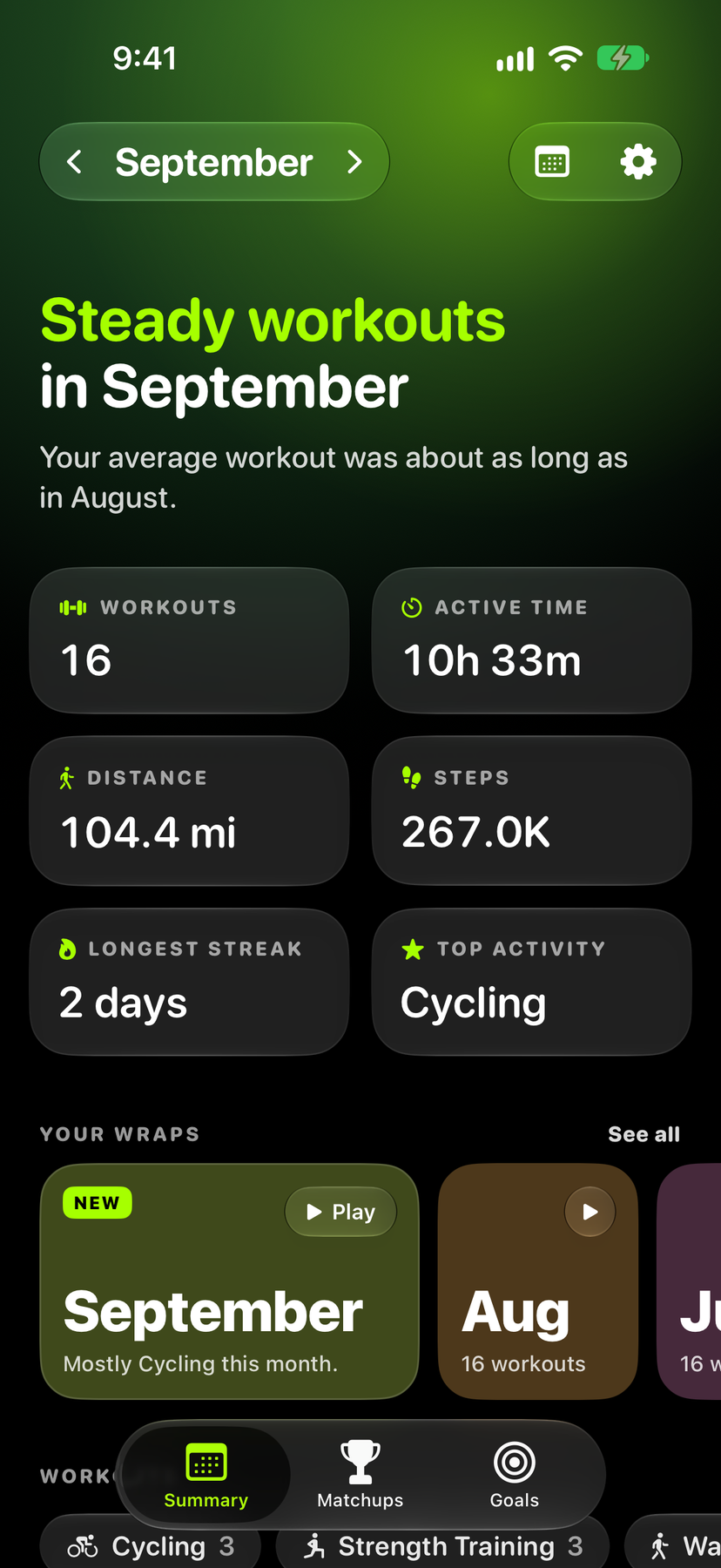
- 1Open the Summary tab and tap the calendar button at the top.
- 2Choose Monthly or Yearly. The Steps card shows your total for that month or year.
- 3Tap the Steps card. A chart shows how your total built up day by day, next to the period before, with a list of totals for earlier periods under it.
- 4Use the arrows next to the month or year name to move back in time.
The current day, week, month, and year are free, and so are the last 7 days. Older months and years are part of Premium ($2.99 a month, $24.99 a year, or $49.99 once).
If a step total is something you want to chase, the Goals tab also lets you set a step goal for a week, a month, or a year, so the number you see on the card has a target next to it. Get the app on the App Store (iPhone).
How many steps to aim for
The World Health Organization's global recommendation for adults is at least 150 minutes of moderate-intensity physical activity per week, and it also says that any amount of physical activity is better than none.
For steps, one large 2022 analysis in The Lancet Public Health pooled 15 groups of adults from four continents. It found that taking more steps per day was linked with a lower risk of death from any cause, and that the benefit levelled off at about 6,000 to 8,000 steps a day for adults aged 60 and older, and at about 8,000 to 10,000 steps a day for younger adults.
That is a link seen across large groups of people, not a promise for any one person. A monthly or yearly total is still a handy way to see your own pattern. Divide a month's total by the number of days and you get your real daily average, including the quiet days.
If your numbers look wrong
- Some days look too low. Your iPhone only counts steps while you carry it. Days when it stayed on a desk will be low unless your Apple Watch recorded them.
- Totals differ between apps. Check which sources feed your steps. In Health, open Steps, scroll down, and tap Data Sources & Access. Tap Edit to change the order. The source at the top wins when two sources record the same data.
- You are comparing an average with a total. Check the label in Health again. Thirty days at 8,000 steps is 240,000 steps, not 8,000.
Sources
- Apple Support: Use the Health app
- Apple Support: View your data in Health on iPhone
- Apple Support: See your activity summary in Fitness on iPhone
- Apple Support: Manage Health data and data sources
- World Health Organization: Physical activity fact sheet
- Paluch AE et al. Daily steps and all-cause mortality: a meta-analysis of 15 international cohorts. The Lancet Public Health, 2022